 Level
Level in seconds. No ads, no permissions, no account.
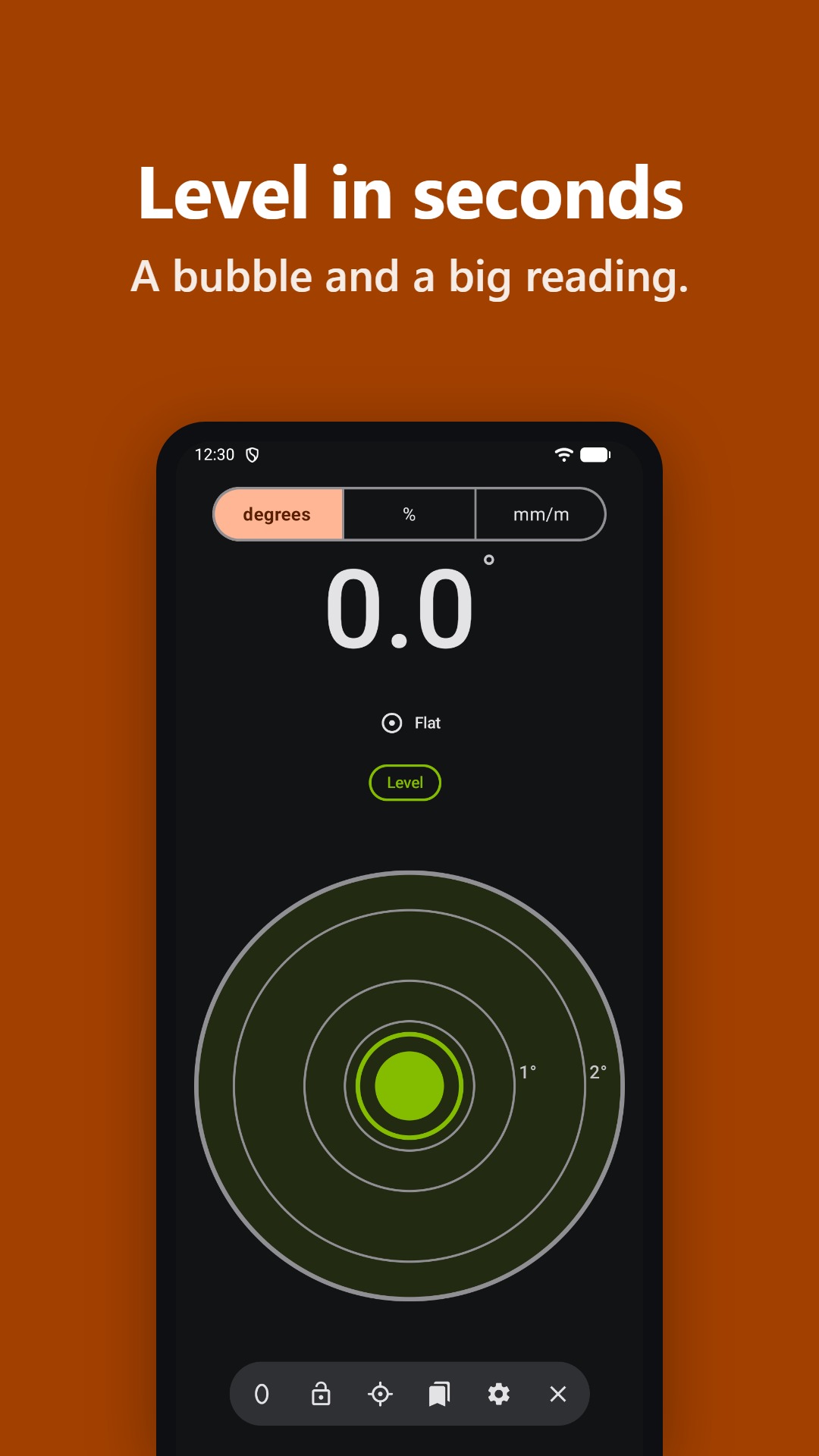
Bubble and a big reading you can see from a metre away. In degrees, %, mm/m or inches per foot, with two-step calibration and vibration alerts so you can measure without looking. Works offline, with TalkBack and VoiceOver, in English and Spanish.


A tool, nothing else
No ads
No banners, no pop-up videos, no subscriptions. Open the app and measure.
No permissions to grant
No location, files, camera or Internet: it has no network access by design. On Android it only declares vibration, granted at install without asking you; on iPhone and iPad, none at all.
No account, no tracking
No sign-up, no analytics. Your settings, calibration and saved measurements stay on your phone.
Built natively for each platform: light and fast on Android and iPhone.
Set your saddle without looking at your phone
Set the target angle, place the phone face down on the saddle and move it slowly: it beeps and vibrates faster the closer you get, with a long signal when you arrive.
It works the same for a ramp, a roof or anything where you can’t see the screen.
Accessible, including with TalkBack and VoiceOver
Designed from the start following the WCAG 2.2 AA guidelines, so anyone can use it.
Built for screen readers
With TalkBack or VoiceOver, every control has a name and the reading is spoken with its value and direction: “Flat mode, 3.4 degrees, tilted left”.
Measure without looking
Vibration and beeps when you’re level, when you reach the target, when a reading is held and at each calibration step.
Not colour alone
AA contrast in light and dark themes, and states such as “Level” always shown with text and shape, not just colour.
Large text
Big digits readable from a metre away, text that scales up to 200 % and buttons of at least 48 dp on Android and 44 pt on iPhone and iPad.
What it meets and what it doesn’t, in detail: accessibility statement.
See it in action
-
Bubble and a big reading 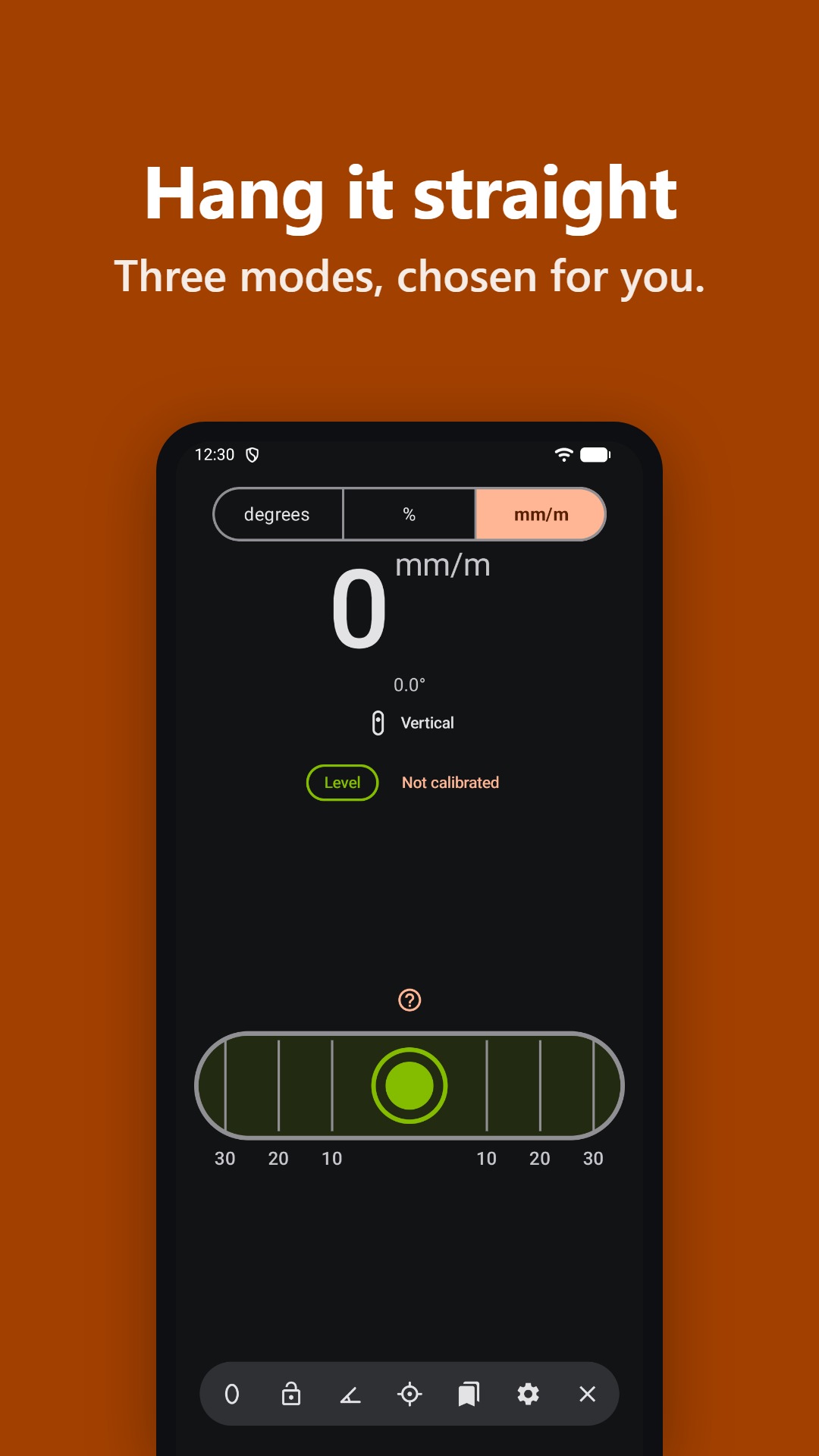
Three modes, chosen for you 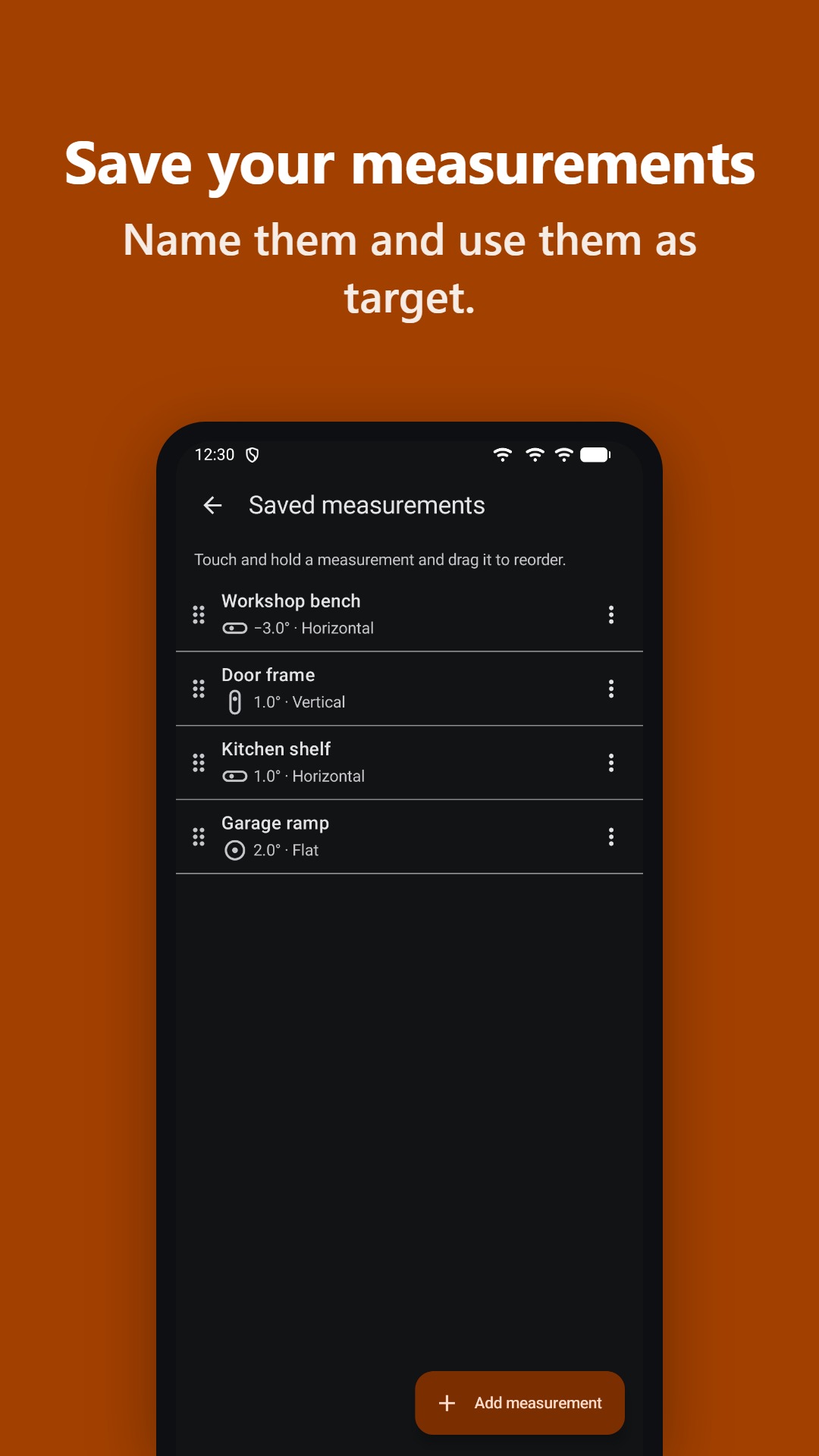
Save your measurements 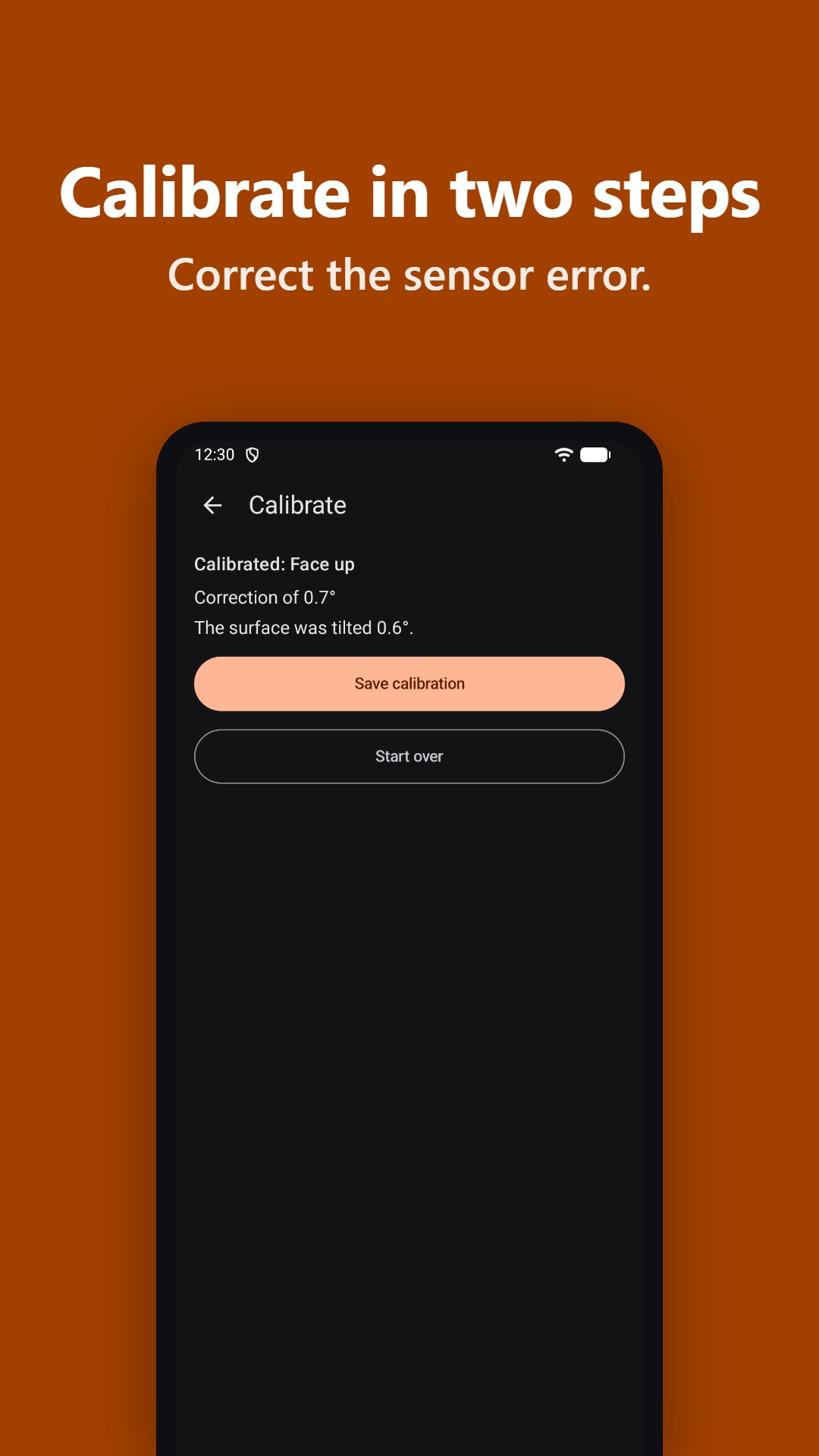
Calibrate in two steps 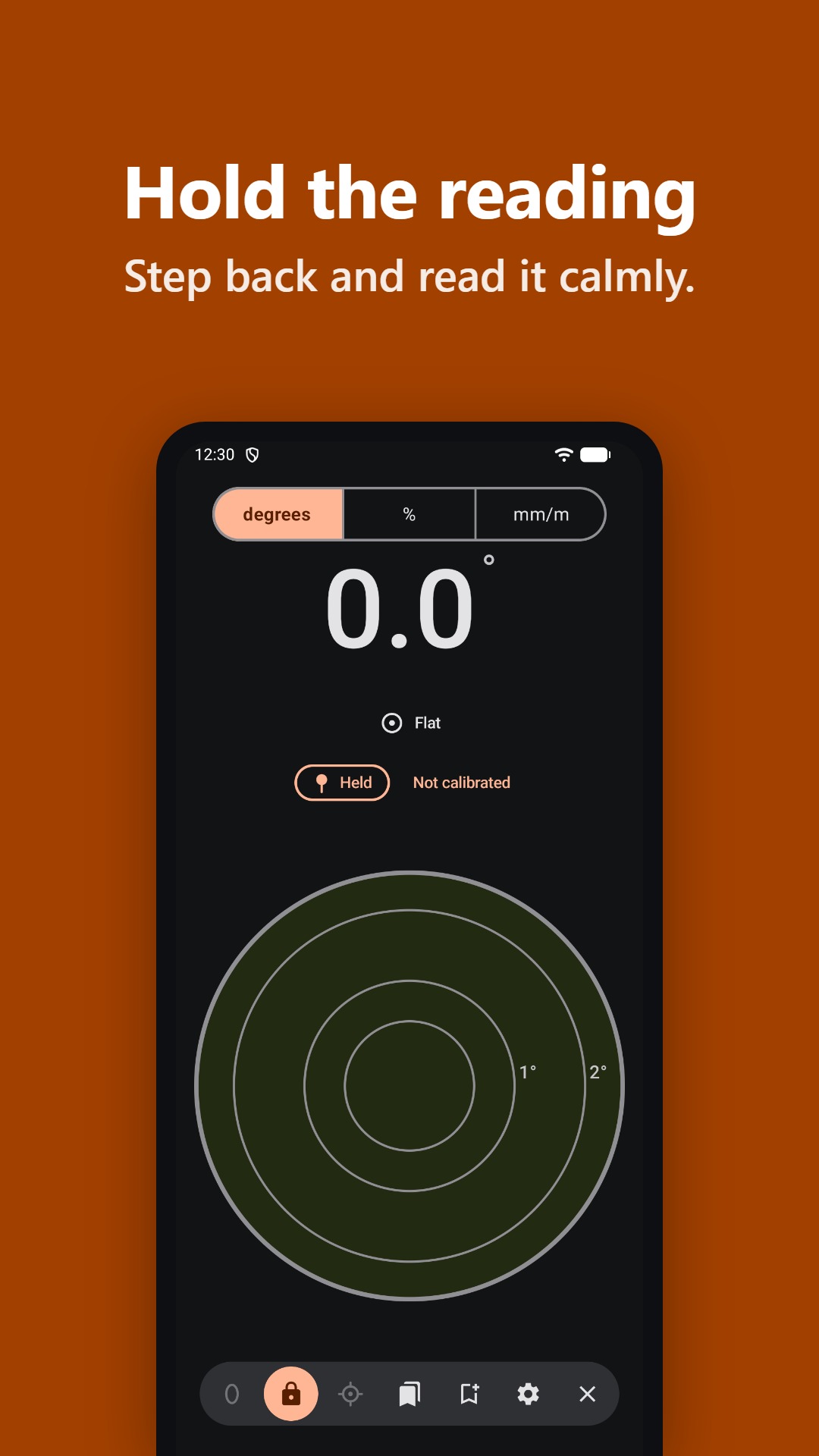
Hold the reading and read it calmly 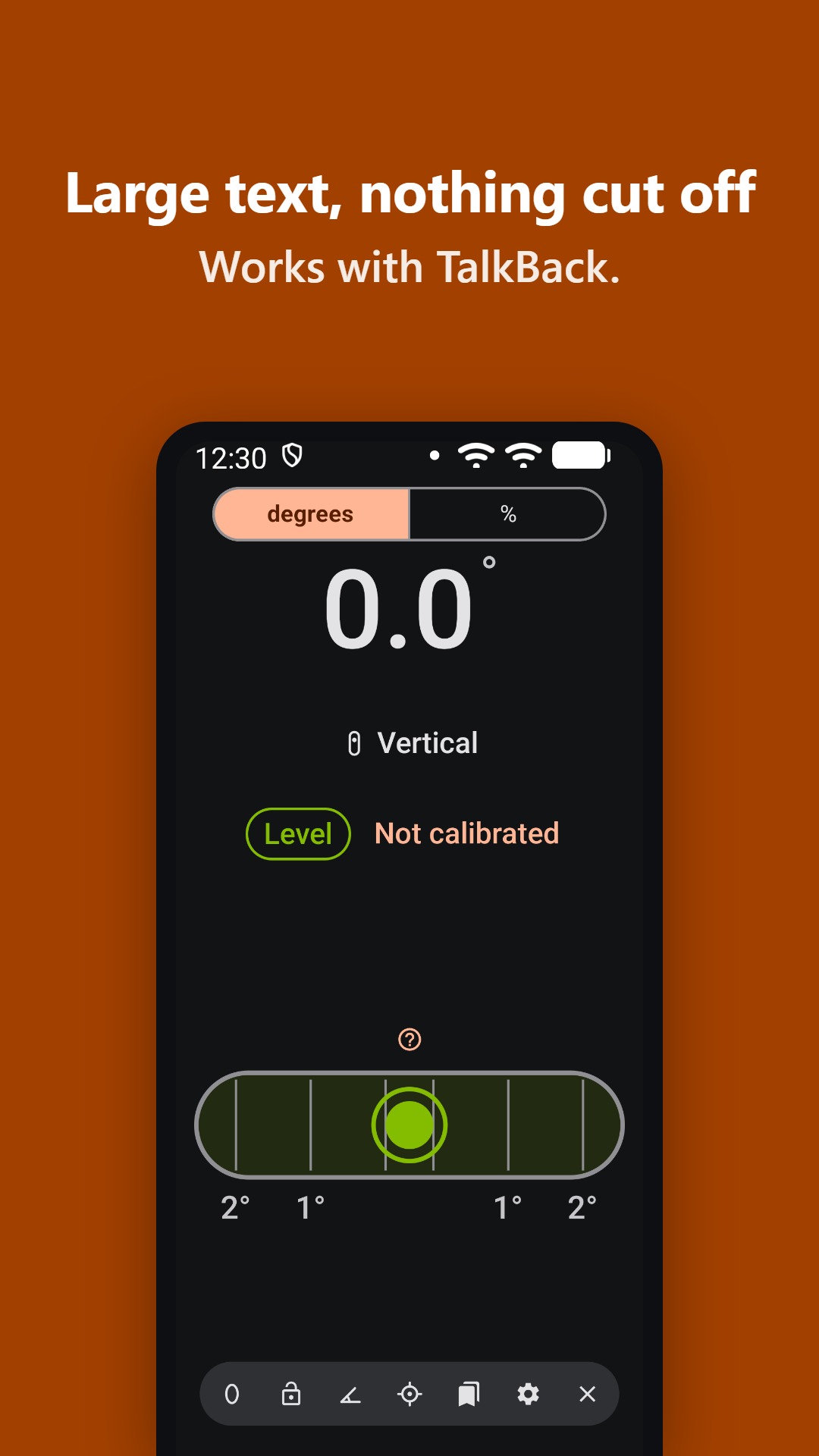
Large text, nothing cut off
How it works
-
Place
Rest the phone on the surface: flat, on its edge or upright. The app picks the mode by itself (Flat, Horizontal or Vertical) and shows you how in a five-step tutorial the first time.
-
Read
A big number, with the bubble rising to the high side. “Stabilizing…” while it moves, “Almost level” and “Level” when you get there, with a vibration so you don’t have to look.
-
Calibrate
Correct the sensor’s factory error in two steps, without needing a level surface: measure, turn the phone half a turn and measure again.
Everything it does
Made for measuring standing up, on a ladder or with one hand busy.
Four units
Degrees (0.1°), % slope, mm/m and inches per foot. Switch with one tap and choose in Settings which ones appear in the selector.
Exact marks
The vial shows 1-2-3 % or 1-2-3° marks and the Flat bubble has graduated circles with the same marks. A “?” explains what they mean.
Per-axis vials
Optional in Flat mode: two vials showing the tilt of each screen axis, so you know which leg to shim.
45° vial
On its edge, tap “45°” to measure the angle of the long edge: mitres, squares and handrails.
Per-side calibration
Six resting sides the app recognises by itself. Face down, beeps and vibrations guide you. It can be removed and undone.
Hold reading
Freeze the reading to read it once you’ve picked the phone up, or let it hold by itself after one second steady.
Set zero
Take the current tilt as the reference and measure the difference. Ideal for copying an existing slope.
Target angle
Say which angle you want to reach and it tells you how far off you are. With vibration or beeps: faster pulses as you get closer and a long signal when you arrive.
Saved measurements
Save a measurement with a name (“Porch roof”, “Ramp”) and use it later as a target. Rename, reorder and delete with “Undo”.
Level alert
A vibration (and a beep, if you want) when you’re level. Pick the margin: 0.2°, 0.5° or 1°.
Toolbar
Everything one tap away in a compact bar you can fold away. Touch and hold an icon to see its name.
Your way
Light, dark or system theme; English or Spanish; screen stays on while you measure and the interface can rotate with the phone.
About accuracy: a phone is a good helper for DIY, but it doesn’t replace a professional level. The reading depends on your device’s sensor and its calibration.
Handy for everyday jobs
DIY and home
Hang a shelf, straighten pictures or build furniture without a spirit level to hand.
Motorhome and camper
Level the van when you park: the per-axis vials tell you which side to raise.
Building and woodwork
Drain slopes in %, 45° mitres or a tripod outdoors, with a saved target.
Frequently asked questions
Does it need an Internet connection?
No. It works completely offline, even with no signal.
Why doesn’t it ask for permissions?
Because it doesn’t need any you have to accept. It measures with the phone’s gravity sensor or accelerometer, which need no permission. On Android it only declares vibration, granted at install without showing you anything, to alert you while calibrating, when a reading is held, when you’re level and when you reach the target. On iPhone and iPad vibration needs no permission either.
How accurate is it?
It shows the reading with 0.1° resolution. Real accuracy depends on your phone’s sensor: calibrating it in the app corrects its factory error. A phone doesn’t replace a professional level.
Where are my measurements stored?
Only on your phone. “Delete all my data”, in Settings, erases everything and leaves the app as if freshly installed.
Which languages is it in?
English and Spanish; French, German, Italian and Portuguese arrive in the next version. By default it follows the system language, and you can change it in Settings.
Is there an iPhone version?
Yes, for iPhone and iPad, with the same features. Get it on the App Store.
What’s the catch? What do I get out of this?
There’s no catch. I don’t make any money from Level. In fact, it costs me money and time. It’s a personal project through which I learn and try to give something useful back. I combine what I already knew about building apps and websites with a new way of working supported by artificial intelligence. I wanted to solve an old problem differently: no ads, no accounts and no data leaving your phone.
How can you help the project?
Downloading the app already helps, but what I’d really like is for you to use it. If you like it, rate it on Google Play or the App Store and recommend it to anyone who might find it useful. If something doesn’t fit or you miss something, write to me using the contact link at the bottom of this page: that’s how it gets better.
How do I send feedback or suggestions?
From Settings → About → “Send feedback”, or by email using the contact link at the bottom of this page.
Get it level today, free
No ads, no permissions and no account. For Android, iPhone and iPad.